Paper cards are slowly going out of style in today’s fast-paced business world. People want to connect in smarter, faster ways. That’s why digital business cards are becoming more and more popular in the US. They’re better for the environment, easy to share, and easy to change.
This post will show you how digital business cards operate, why they are important, and how to make one in only a few minutes if you want to offer your contact information in a modern fashion.
What Are Digital Business Cards?
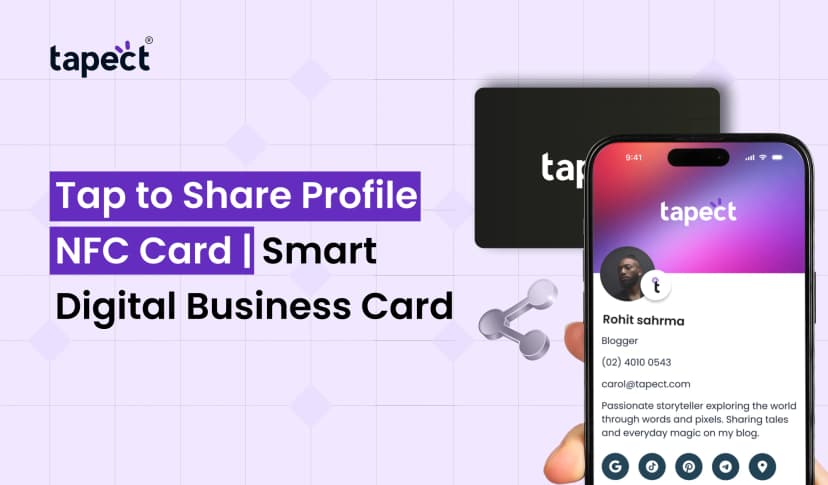
Digital business cards are like regular business cards, but they’re on the internet. You can give someone a link, a QR code, or tap an NFC card instead of a printed card. The other individual can quickly add your contact information on their phone.
Digital business cards can have things that physical cards can’t, like:
- Phone number
- Email address
- Website link
- Social media profiles
- Google Maps location
- Payment links
- Portfolio or product cat
You can change digital business cards at any time without having to print them again. That makes them clever and cheap.
Why Digital Business Cards Are Popular in the USA
Businesses in the US are switching to digital solutions. Meetings, trade exhibits, and networking events are now easier to use with technology. This approach works great with digital business cards.
People like digital business cards for these reasons:
- No printing cost
- Instant sharing
- Easy updates
- Eco-friendly
- Professional image
A lot of professionals now have NFC business cards and a digital profile. Just one tap saves the contact information.
How Digital Business Cards Work
It’s easy to do.
- A digital business card maker lets you construct a profile.
- You put in your contact information, logo, and links.
- You get a QR code for a digital business card or a link that can be shared.
- You can share it by QR code, link, or tapping your business card.
Your profile will open on their phone when they scan the qr code on your digital business card. They can save your number right now.
This makes it easy and quick to connect with others.
Features You Should Look For
There are differences between digital business cards. When you pick a platform, make sure it has these things:
1. Simple choices for design
A decent digital business card maker should have templates that are ready to use. You should be able to change the colours, logo, and layout.
2. Sharing QR Codes
All devices should be able to read the QR code on your digital business card without needing to download any extra software.
3. Works with NFC
If you utilise NFC on your business card, it should connect right to your online card.
4. Option to Save Contacts
People should be able to save your number with only one click.
5. Data analysis
Some digital business cards let you see how many people looked at your card. This helps you keep track of leads.
Digital Business Cards vs Paper Cards
Let’s look at both.
Paper Cards
- If the details change, you need to print again.
- Can lose their way
- Not enough information
- Cost of printing
Digital Business Cards
- Update right away
- Endless information
- Simple sharing
- Affordable
- A modern look
A lot of professionals today use both digital and bespoke business cards online. A metal or NFC card looks nice, but it connects to digital business cards to provide you all the information you need.
How to Create Digital Business Card in Minutes
You don’t need to know how to use computers to make a digital business card. Do the following:
Step 1: Choose a Platform
Select a trusted digital business card maker like Tapect.
Step 2: Include Your Information
Please give us your name, company name, phone number, email address, website, and social media links.
Step 3: Put up a photo and logo
A clear picture makes people trust you.
Step 4: Make a QR Code
The QR code for your digital business card will be provided right away.
Step 5: Connect NFC (Optional)
If you have NFC business cards, connect them to your profile.
You may now share your digital business cards.
Who Should Use Digital Business Cards?
Digital business cards are great for:
- Business owners
- Real estate agents
- Sales teams
- Doctors and consultants
- Freelancers
- Startup founders
- Event managers
Digital business cards save time and make a big impression if you go to networking events a lot.
Benefits of NFC Business Cards
A lot of professionals use both digital and NFC business cards.
You can use business card NFC by tapping your card on a smartphone. No typing. No delay in scanning.
Some benefits are:
- Faster sharing
- Premium look
- Works without apps
- Reusable and long-lasting
When connected correctly, digital business cards open right away when you tap them.
Cost of Digital Business Cards in the USA
The cost depends on the features you want.
You may get basic digital business cards for free or for a nominal cost. More advanced versions that support analytics and NFC may have yearly plans.
Even the most expensive digital business cards are cheaper than producing paper cards over and over.
That’s why a lot of businesses in the US are permanently moving to digital business cards.
Tips to Make Your Digital Card Stand Out
- Have a clean profile picture
- Include a short bio of yourself as a professional.
- Add a button that tells people what to do
- Make the design simple
Before you share your digital business card QR code, make sure it works.
A good design makes people trust you. Your digital business cards will look professional if you use a sensible layout.
Are Digital Business Cards Safe?
Yes, but only if you select a reliable service. Good platforms keep your data safe and host it in a secure way.
Don’t tell anyone your private information. Only put business-related information on your digital business cards.
Commonly Asked Questions (FAQs)
1. What are business cards that are digital?
You can exchange digital business cards online by using a link, QR code, or NFC touch.
2. How can I make a digital business card?
You may design a digital business card, add your information, and get a link or QR code that you can share.
3. What is a QR code for a digital business card?
A digital business card QR code is a code that may be scanned to quickly open your contact profile.
4. Are NFC business cards a good idea?
Yes. NFC business cards let you transmit contact information fast and appear professional.
5. Is it possible to change my digital card later?
Yes. You can change your digital business cards at any time without having to print them again.
6. Are business cards on the internet better than paper cards?
They are easier to share, easy to change, and cheaper in the long term.
7. Can you use digital business cards on an iPhone or Android?
Yes. Most digital business cards work with all new cellphones.
Conclusion
The way people network in the US is changing quickly. People desire knowledgeable and easy answers. Sharing contact information is quick and easy with digital business cards. You can change them whenever you want, add as much information as you like, and link by QR or NFC.
It’s time to move to digital business cards if you want to seem modern and stay ahead. You may connect right away and extend your network easily with a QR code, link, or business card NFC.
Make your profile and share your information the right way starting today.
 7/11/2026
 business