Sharing contact information should be easy in a society where speed and convenience are important. A NFC Business Card makes this feasible. You may share your profile, website, or contact information with only a tap, without giving someone a paper card.
A lot of professionals are switching from regular cards to smart solutions. A NFC Business Card not only looks current, but it also helps you connect more quickly and make a powerful impression.
Let’s look at how it works, what it can do, how to use it, and how to make one that works.
What is an NFC Business Card?
A NFC business card is a smart card that has a tiny chip inside. Your card and a smartphone can talk to each other wirelessly thanks to this NFC chip.
When someone taps your card with their phone, it opens a link or profile. This might be your website, your contact page, or a digital business card with NFC.
You don’t have to print the information over and over again like you would with a paper card. You can change your information at any time.
How Does an NFC Business Card Work?
It’s easy to use an NFC Business Card.
- The card has a built-in NFC chip
- You program it with your details
- A user taps their phone on the card
- The phone opens your saved link or profile
This makes the NFC contactless business card a fast and simple way to communicate information.
Most new cellphones have NFC, thus it works well for a lot of people.
Key Features of NFC Business Card
A NFC Business Card has a lot of important characteristics that make it better than regular cards.
1. Share by tapping
Your NFC card lets you share your information right away with only one tap.
2. Information that can be changed
You can change your information at any moment without having to print a new NFC Visiting card.
3. A lot of links
Your electronic business card nfc can have:
- Phone number
- Website
- Social media
4. Good for the environment
You don’t have to print a lot of cards. A smart NFC business card helps cut down on paper waste.
5. Works with a digital profile
With a nfc digital business card, people can see your whole profile in one spot.
Benefits of NFC Business Card
Professionals and corporations can get a lot of great benefits from NFC business cards.
Faster Networking
You can join right away without having to type or save information.
Better First Impression
A Contactless Business Card demonstrates that you are up-to-date and know how to use technology.
No Information Loss
People lose paper cards. A contactless business card NFC makes sure that your information is stored digitally.
Saving Money
You don’t have to print new cards when your information changes.
Sharing is easy
Sharing is easy and quick with only a tap of your NFC Card.
NFC Business Card Uses That Are Common
A NFC business card can be utilised in a lot of different ways in a lot of different fields.
Meetings for Business
Share your information instantly, without any delays.
Networking and Events
A clever Contactless Business Card can help you stand out at events.
Marketing and Sales
Use your NFC-enabled electronic business card to send people to landing pages.
Freelancers and Artists
Use a digital business card with NFC to show off your portfolio.
Business Teams
Using a common NFC visiting card can help teams keep their brand consistent.
NFC Business Card vs Traditional Business Card
Let’s look at the differences between an Contactless Business Card and a conventional card.
Traditional Card
- Limited space
- Easy to lose
- Needs reprinting
NFC Business Card
- Unlimited digital space
- Always accessible
- Easy to update
In today’s digital environment, a contactless business card with NFC is undoubtedly more useful.
NFC Business Card vs QR Code
A lot of people think that QR codes and NFC cards are the same thing.
NFC Business Card
- Tap-based sharing
- Quick and smooth
- Works without opening camera
QR Code
- Scan-based
- Works on all phones
- Needs camera
A smart Contactless Business Card that uses both can give you the best results.
NFC Business Card Design Tips
Your NFC business card will work better if it has a good design.
Keep it clean
Don’t write too much. Let the NFC chip take care of most of the data.
Add a clear brand name
Put your logo and brand colours on your NFC business card.
Use Strong Stuff
Choose a strong material for your NFC card, such wood, metal, or PVC.
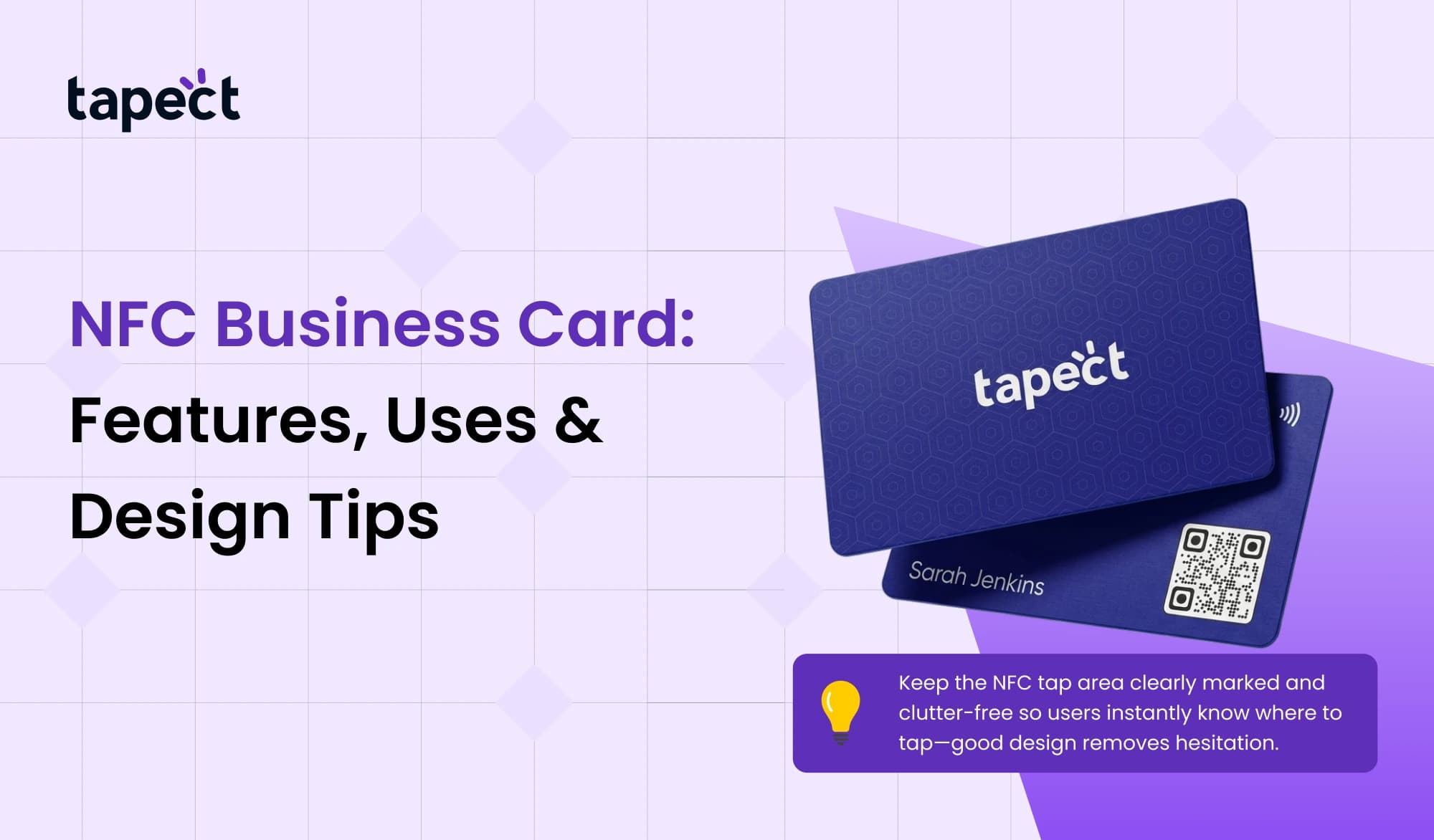
Highlight the Tap Area
Tell users where to tap on your contactless NFC business card.
Include a backup QR code
Adding a QR code to your electronic business card NFC makes it easier for people who don’t have NFC.
How to Create NFC Business Card
If you follow the appropriate steps, making an NFC business card is easy.
Step 1: Choose Your Card Type
Choose a style and material for your smart Contactless Business Card.
Step 2: Program the NFC Chip
Use an app to write your link or profile into the NFC chip.
Step 3: Create Digital Profile
Make a digital business card with your contact information and links.
Step 4: Test the Card
Try tapping your NFC Card on multiple devices to see whether it works.
Step 5: Start Sharing
You can use your NFC Visiting card every day, at meetings, and at events.
Best Practices to Get More Leads
A NFC business card might also help you get leads.
Use a landing page
Link your electronic business card nfc to a page that gets visitors to take action instead of merely giving them your contact information.
Add a Call to Action
Help users by saying things like:
- Tap to connect
- Tap to view profile
Offer Value
Give people a reason to use your NFC business card without touching it.
Track Performance
Some tools keep track of how many times your Contactless Business Card is used.
Future of NFC Business Card
The need for NFC Business Cards is expanding quickly.
A lot of individuals like sharing quickly and with a touch. As smartphones continue to support NFC, more and more people will utilize smart Contactless Business Card and NFC digital business cards.
Businesses are moving away from paper, thus the contactless business card nfc is a wise choice for the future.
FAQs
1. What is an NFC business card?
Using NFC technology, an NFC Business Card lets you communicate your contact information with a single tap.
2. What does an NFC chip accomplish in a business card?
When you tap the NFC chip, it delivers your information to a smartphone.
3. What are the advantages of using an NFC business card?
The best things about Contactless Business Cards are that they are easy to share, don’t need to be printed again, and get people more involved.
4. Is it possible to change the information on my NFC Business Card?
Yes, you can change your NFC digital business card at any moment without having to change the card itself.
5. Do all phones work with Contactless Business Card?
Most new smartphones include NFC, which makes the NFC Card useful for a lot of people.
Final Thoughts
A NFC business card is not simply a fad. It’s a good idea to connect, share, and develop your network. It has evident benefits over regular cards, such as the ability to share instantly, change content, and make digital profiles.
You may make a powerful networking tool by using a well-designed NFC visiting card, adding a robust NFC digital business card, and following some easy design suggestions.
Switching to an Contactless Business Card is a good idea if you want faster connections and better results.

 6/23/2026
 business